Kommentar
Åtkomst till den här sidan kräver auktorisering. Du kan prova att logga in eller ändra kataloger.
Åtkomst till den här sidan kräver auktorisering. Du kan prova att ändra kataloger.
In this task, you verify that the Supplier entity is created on MDS using Master Data Manager Web Application.
If Master Data Manager is already open, click SQL Server 2012 Master Data Services at the top to navigate to the home page. Otherwise, navigate to
https://localhost/MDSto launch Master Data Manager.Select Suppliers for Model, and click Explorer.
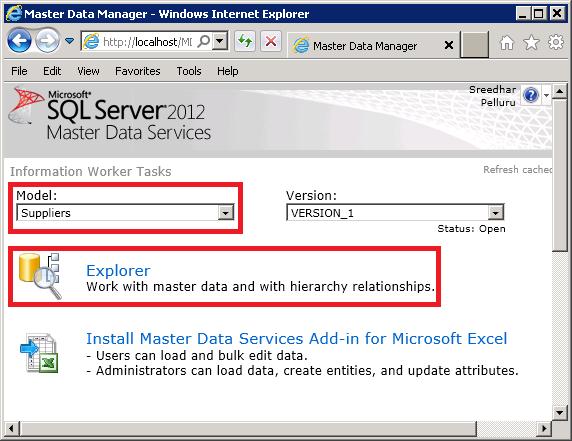
Review the data stored on MDS. If you do not see the data, confirm that you selected Suppliers for the Model on the home page before launching Explorer. You can add to or delete from the supplier list by using Add Member and Delete Member buttons on the toolbar.
Next Step
Task 4 (Optional): Combining, Matching, and Publishing New Set of Data