앱 알림은 앱 창 외부에 표시되는 UI 팝업으로, 사용자에게 적시에 정보 또는 작업을 제공합니다. 알림은 순전히 정보 제공이거나, 클릭할 때 앱을 시작하거나, 앱을 포그라운드로 가져오지 않고 백그라운드 작업을 트리거할 수 있습니다.
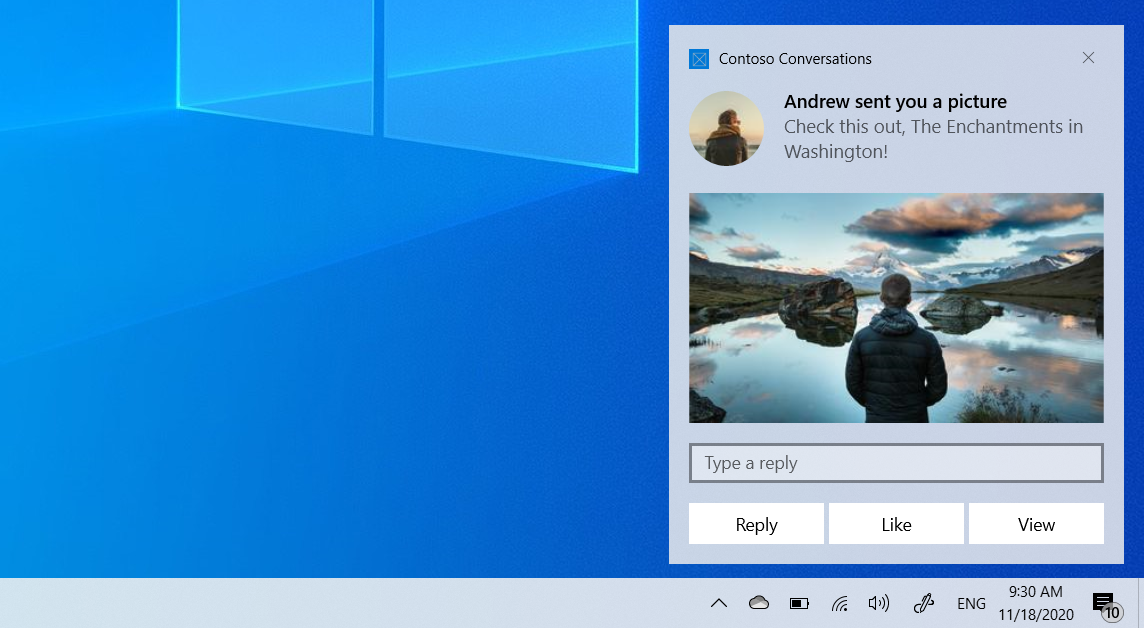
이 문서에서는 .NET 콘솔 앱에서 앱 알림을 만들고 보낸 다음 사용자가 상호 작용할 때 활성화를 처리하는 단계를 안내합니다. 이 문서에서는 Windows 앱 SDKMicrosoft.Windows.AppNotifications API를 사용합니다.
다른 프레임워크에 대한 앱 알림 및 지침에 대한 개요는 앱 알림 개요를 참조하세요.
이 문서에서는 로컬 알림을 다룹니다. 클라우드 서비스에서 알림을 전달하는 방법에 대한 자세한 내용은 푸시 알림을 참조하세요.
중요합니다
관리자 권한이 필요한 앱에 대한 알림은 현재 지원되지 않습니다.
사전 요구 사항
- .NET 6 이상을 대상으로 하는 .NET 콘솔 앱
-
Windows 앱 SDK NuGet 패키지(
Microsoft.WindowsAppSDK)
프로젝트를 설정하세요.
프로젝트 파일(.csproj)에서 TargetFramework Windows 대상 프레임워크가 포함되어 있는지 확인합니다.
<TargetFramework>net9.0-windows10.0.19041.0</TargetFramework>
Windows 앱 SDK NuGet 패키지를 추가합니다.
<PackageReference Include="Microsoft.WindowsAppSDK" Version="1.7.250310001" />
패키지되지 않은 앱의 경우 다음을 추가합니다.
<WindowsPackageType>None</WindowsPackageType>
앱 알림 등록
Main 메서드에서 Register를 호출하기 전에NotificationInvoked 처리기를 등록합니다. 알림을 클릭할 때 활성화 콜백을 받으려면 콘솔 앱이 계속 실행되어야 합니다.
Program.cs
using Microsoft.Windows.AppNotifications;
using Microsoft.Windows.AppNotifications.Builder;

// Register the notification handler before calling Register
AppNotificationManager.Default.NotificationInvoked += (sender, args) =>
{
    // Handle notification activation.
    // args.Argument contains the arguments from the notification
    // or button that was clicked, as key=value pairs separated
    // by '&', for example "action=acknowledge".
    Console.WriteLine($"Notification activated! Arguments: {args.Argument}");
};

AppNotificationManager.Default.Register();
메모
패키지되지 않은 앱의 경우 Register() 알림을 클릭할 때 Windows 앱을 시작할 수 있도록 COM 서버 등록을 자동으로 설정합니다. COM 활성화 또는 AUMID를 수동으로 구성할 필요가 없습니다.
앱 알림 보내기
AppNotificationBuilder를 사용하여 알림 콘텐츠를 생성하고 AppNotificationManager.Show를 사용하여 알림을 보냅니다.
var notification = new AppNotificationBuilder()
    .AddArgument("action", "viewItem")
    .AddText("Console Notification")
    .AddText("This was sent from a console app using Windows App SDK.")
    .AddButton(new AppNotificationButton("Acknowledge")
        .AddArgument("action", "acknowledge"))
    .BuildNotification();

AppNotificationManager.Default.Show(notification);
앱 실행 유지
NotificationInvoked 처리기를 호출하려면 사용자가 알림을 클릭할 때 콘솔 앱이 계속 실행되고 있어야 합니다. 사용자가 알림과 상호 작용하기 전에 앱이 종료되면 다음 클릭으로 새 프로세스가 콜드 시작됩니다.
Console.WriteLine("Notification sent! Waiting for activation...");
Console.WriteLine("Press Enter to exit.");
Console.ReadLine();

// Unregister when the app exits
AppNotificationManager.Default.Unregister();
전체 예제
다음은 알림을 보내고 활성화를 처리하는 전체 Program.cs 입니다.
using Microsoft.Windows.AppNotifications;
using Microsoft.Windows.AppNotifications.Builder;

Console.WriteLine("Console App Notification Test");

// Step 1: Register for notification activation
AppNotificationManager.Default.NotificationInvoked += (sender, args) =>
{
    Console.WriteLine($"Notification activated! Arguments: {args.Argument}");
};

AppNotificationManager.Default.Register();

// Step 2: Send a notification
var notification = new AppNotificationBuilder()
    .AddArgument("action", "viewItem")
    .AddText("Console Notification")
    .AddText("This was sent from a console app using Windows App SDK.")
    .AddButton(new AppNotificationButton("Acknowledge")
        .AddArgument("action", "acknowledge"))
    .BuildNotification();

AppNotificationManager.Default.Show(notification);

// Step 3: Wait for user interaction
Console.WriteLine("Notification sent! Click it to test activation.");
Console.WriteLine("Press Enter to exit.");
Console.ReadLine();

AppNotificationManager.Default.Unregister();
관련 콘텐츠
GitHub에서 Microsoft와 공동 작업
이 콘텐츠의 원본은 GitHub에서 찾을 수 있으며, 여기서 문제와 끌어오기 요청을 만들고 검토할 수도 있습니다. 자세한 내용은 참여자 가이드를 참조하세요.

Windows developer