Request access to Surface Support Portal
Now that you've seen how to create a Microsoft tenant using the onboarding signup process, you're ready for the next step. Once your tenant is created, you're automatically assigned to the Global Admin role. This gives you the ability to move forward by requesting access to the Surface Support Portal. To request access, do the following:
- Sign into the Microsoft 365 Admin Center.
- Go to Support, then select Microsoft Surface Support.
- Navigate to the Surface Support Portal Page.
- Complete the Access Request Form.
- After submitting the request, refresh the page or sign-in again.
If your request is approved, access is granted immediately. If under review, access may take up to five business days and may require extra verification.
If your request is denied, you'll need to open a support ticket:
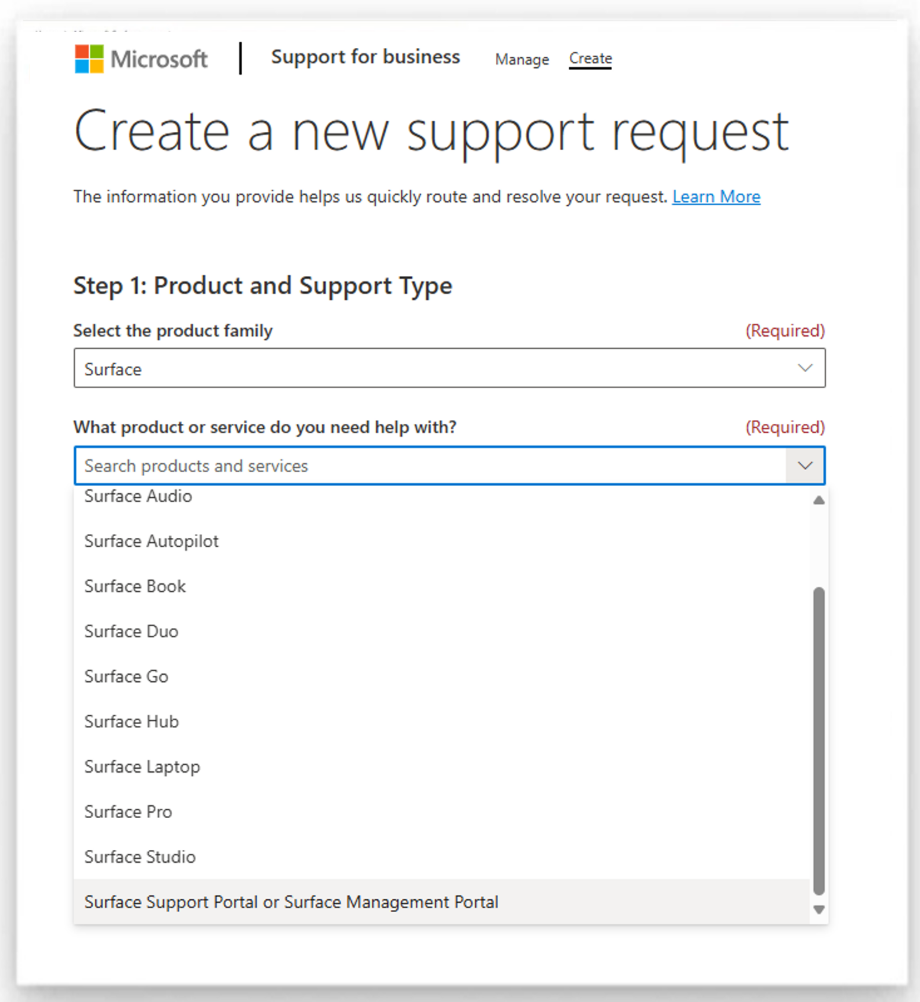
- Open Services Hub.
- Sign in with your tenant ID for escalation.
- Use Surface Support Portal or Surface Management Portal to create a support request, detailing any immediate needs for device support.