Note
Access to this page requires authorization. You can try signing in or changing directories.
Access to this page requires authorization. You can try changing directories.
Use this article to disable Defender for SQL Servers on Machines in Microsoft Defender for Cloud.
The Defender for SQL Servers on Machines plan is part of Defender for Databases. It protects SQL Server databases hosted on Azure virtual machines (VMs) and Azure Arc-enabled VMs.
What happens when you disable this plan
Disabling the plan means Defender for Cloud no longer provides SQL alerts and recommendations for the selected machines.
Prerequisites
You must have Subscription Owner permissions.
You must have the Defender for SQL Servers on Machines plan enabled in your Defender for Cloud environment.
Disable Defender for SQL Servers on Machines
To disable Defender for SQL Servers on Machines, follow these steps:
Sign in to the Azure portal.
Navigate to Microsoft Defender for Cloud > Environment settings.
Select the relevant subscription.
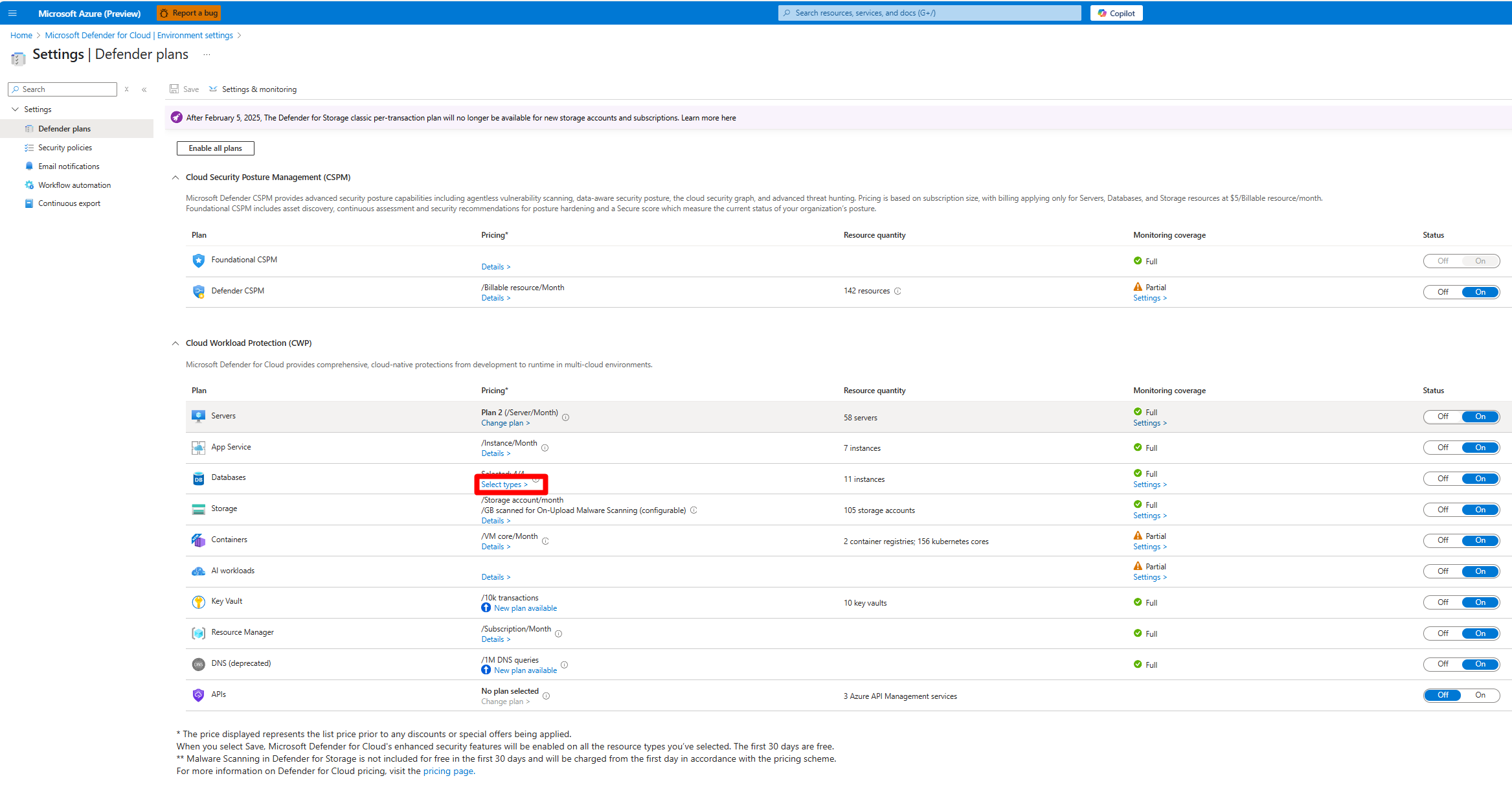
On the Defender plans page, locate the Databases plan and select Select types.
In the Resource types selection window, toggle the SQL Servers on Machines plan to Off.
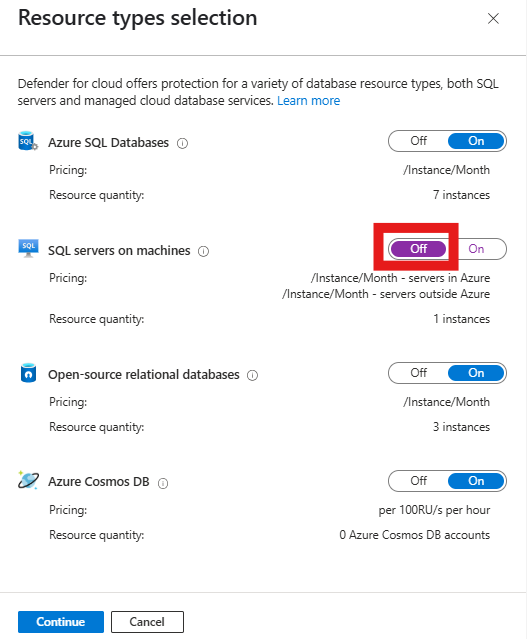
Select Continue > Save.
Disable Defender for SQL Servers on Machines at the resource level
To disable this plan at the resource level for an individual SQL Server instance or SQL virtual machine, follow these steps:
In the Azure portal, choose one of the following options:
- Azure Arc > Data services > SQL Server instances
- SQL virtual machines
Select the relevant SQL Server instance.
Locate the security menu and select Extensions + applications.
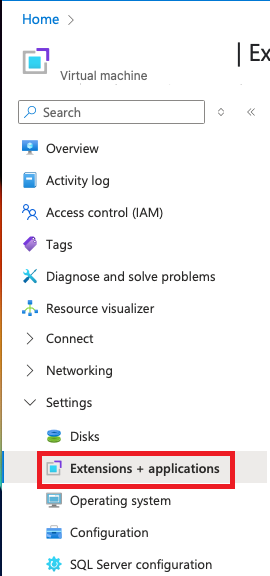
Select the Defender for SQL (IaaS and Arc) extension.
Confirm that the extension details match the following values:
- Extension: Defender for SQL (IaaS and Arc)
- Publisher: Microsoft.Azure.AzureDefenderForSQL
- Type: AdvancedThreatProtection.Windows
Select Uninstall.
